
We built OpenClaw — a Telegram bot that monitors our entire homelab
Bitcoin block height, Lightning balance, server health — all from Telegram. Powered by local AI. Zero cloud.
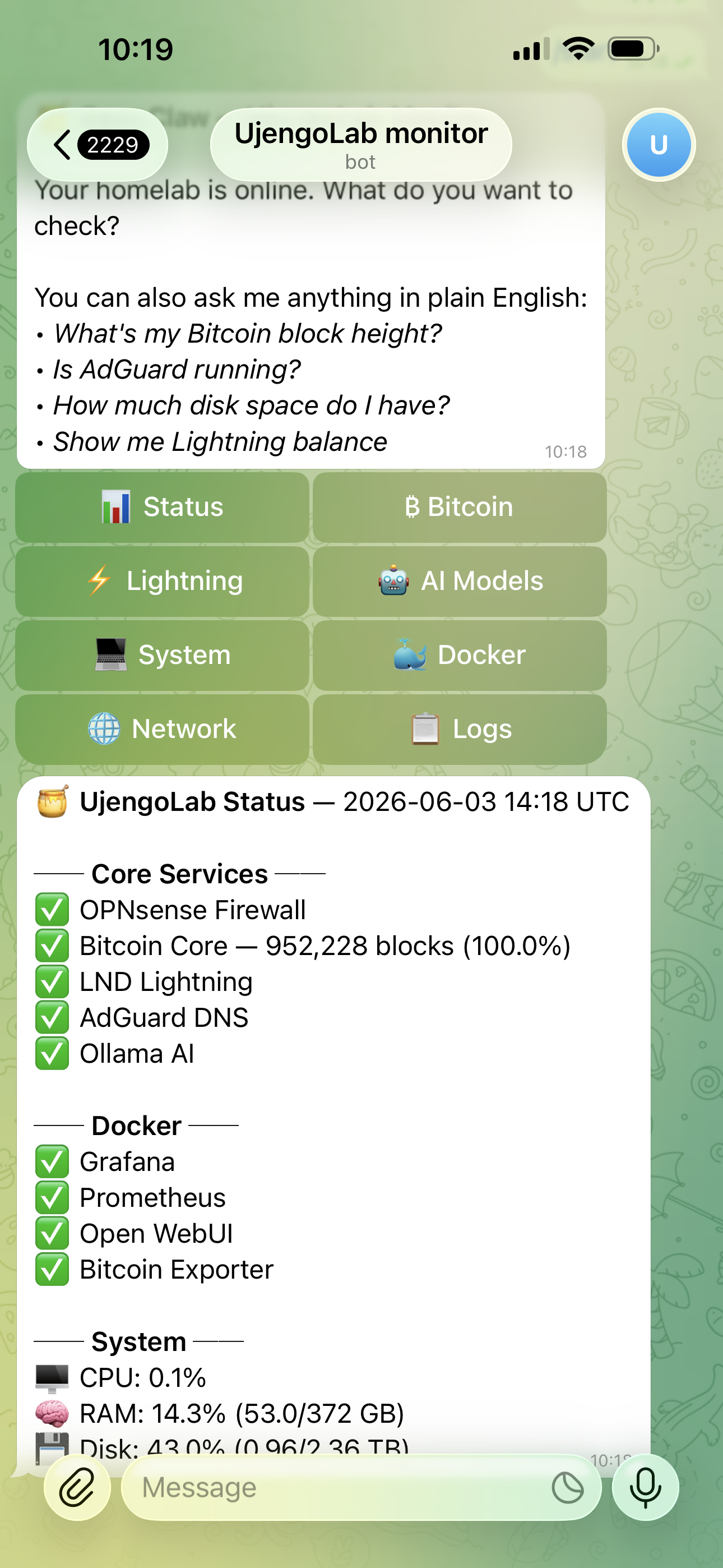
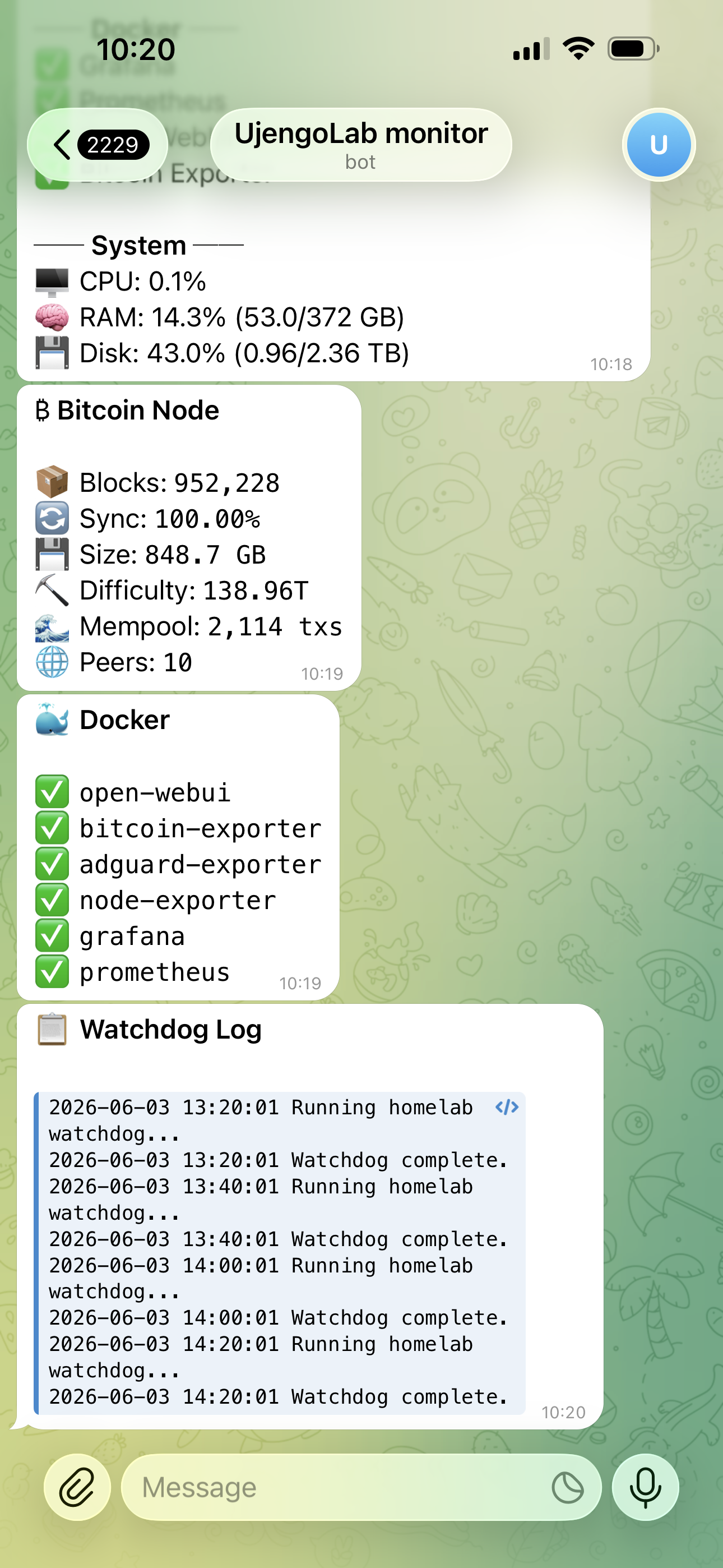
OpenClaw running live — all services green, Bitcoin at 952,228 blocks, watchdog log showing clean runs every 20 minutes.
In Part 1 of our homelab series we showed how we run a private AI stack locally using Ollama and Open WebUI. This post takes it further — we connected that AI stack to a Telegram bot that monitors every service in our homelab.
We call it OpenClaw. From anywhere in the world, we can open Telegram and ask our server anything — in plain English. The bot understands natural language and routes unknown questions to our local Mistral AI model.
What OpenClaw can do
The architecture
OpenClaw is a Python bot using the python-telegram-bot library. It runs as a systemd service on our Ubuntu server alongside Bitcoin, LND, Ollama, and everything else. When you send a message it either handles it directly (calling bitcoin-cli, lncli, docker commands) or forwards it to our local Mistral model via the Ollama API.
Setup — step by step
Step 1 — Create a Telegram bot
Open Telegram, search for @BotFather and send /newbot. Give it a name and username. BotFather will give you a token like 1234567890:AAFxxx... — save it.
Then get your chat ID by messaging your new bot and visiting:
https://api.telegram.org/botYOUR_TOKEN/getUpdates
Look for "chat": {"id": 123456789} — that number is your chat ID.
Step 2 — Install dependencies
mkdir -p ~/projects/openclaw
cd ~/projects/openclaw
python3 -m venv venv
source venv/bin/activate
pip install python-telegram-bot requests psutil aiohttp
Step 3 — Configure and run
Download bot.py from our GitHub, update the two config lines at the top:
BOT_TOKEN     = "YOUR_BOT_TOKEN"
ALLOWED_CHAT_ID = YOUR_CHAT_ID  # only you can talk to the bot
source venv/bin/activate
python3 bot.py
Send /start to your bot in Telegram. You'll see the menu appear.
Step 4 — Make it permanent
sudo nano /etc/systemd/system/openclaw.service
[Unit]
Description=OpenClaw Homelab Monitor Bot
After=network.target

[Service]
Type=simple
User=YOUR_USERNAME
WorkingDirectory=/home/YOUR_USERNAME/projects/openclaw
ExecStart=/home/YOUR_USERNAME/projects/openclaw/venv/bin/python3 bot.py
Restart=on-failure
RestartSec=10

[Install]
WantedBy=multi-user.target
sudo systemctl daemon-reload
sudo systemctl enable openclaw
sudo systemctl start openclaw
sudo systemctl status openclaw
Natural language queries via local AI
The most interesting part of OpenClaw is the fallback handler. When you send a message that doesn't match any known command, the bot forwards it to our local Mistral 7B model running on Ollama — with context about the homelab injected into the prompt.
# Unknown question → local Mistral
prompt = (
    "You are OpenClaw, monitoring a homelab running "
    "Bitcoin Core, LND Lightning, OPNsense, AdGuard, "
    "Prometheus, Grafana, and Ollama. Answer concisely: "
    + question
)
resp = requests.post(
    "http://localhost:11434/api/generate",
    json={"model": "mistral", "prompt": prompt}
)
No API key. No per-query cost. No data leaving your server. The AI runs entirely on your hardware.
Our complete homelab status
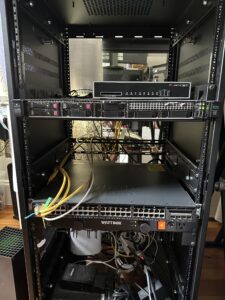
After adding OpenClaw, here's what's running on our single HPE server:
| Service | Status | Purpose |
|---|---|---|
| OPNsense | ✅ Running | Firewall + VLANs + WireGuard VPN |
| Bitcoin Core | ✅ Active | Full node — 952,239 blocks synced |
| LND | ✅ Active | Lightning Network node (UjengoLab) |
| AdGuard | ✅ Active | Private DNS + ad blocking |
| Ollama | ✅ Active | Local AI — LLaMA 3 70B + Mistral |
| Open WebUI | ✅ Healthy | Private ChatGPT interface |
| OpenClaw | ✅ Active | Telegram homelab monitor |
| Grafana | ✅ Running | Monitoring dashboards |
| Prometheus | ✅ Running | Metrics collection |
| Watchdog | ✅ Every 20min | Auto-recovery for all services |
Total cloud cost: $0. Every service runs on one HPE server in our lab.
What's next
OpenClaw is just the foundation. In upcoming posts we'll extend it to send proactive alerts — notify us when a service goes down, when the mempool spikes, or when disk usage crosses a threshold. We'll also connect it directly to Grafana to pull live chart data into Telegram.
We're also building a product assistant chatbot for okapius.com using the same local AI stack — no SaaS chatbot subscription, no customer data sent anywhere.

About Lemuntu
Crypto & AI editor
Join the discussion —
You must be logged in to post a comment.